
Clearing out an office can feel like opening a treasure chest of outdated equipment, tangled cords, and forgotten gadgets. Old computers, monitors, printers, and other electronic devices pile up faster than one can organize, often leaving offices cluttered and inefficient. Deciding what to do with these electronics is more than just a matter of aesthetics. Proper disposal can safeguard sensitive information, prevent environmental hazards, and even recover some value from devices no longer in use. Whether your office is upgrading systems, relocating, or simply refreshing the workspace, handling obsolete electronics responsibly requires planning, careful sorting, and sometimes professional assistance. As office technology evolves, the need for effective strategies to manage outdated electronics becomes crucial, blending practical concerns with environmental responsibility. Taking time to sort and categorize electronics during a cleanout sets the stage for a smoother transition, minimizes workplace disruptions, and can even provide unexpected opportunities for recycling or repurposing. The process demands awareness, organization, and commitment to ensure both compliance and efficiency.
Assessing the Condition of Office Electronics
Determining the state of each electronic device is the first step in any cleanout strategy. A thorough inspection can reveal whether a computer, printer, or peripheral is beyond repair, slightly outdated but functional, or still capable of performing its intended tasks. Sorting devices by condition not only helps identify which items can be repurposed internally but also highlights candidates for donation, resale, or recycling. Office electronics often contain components that degrade over time, such as batteries and hard drives, which may pose hazards if handled improperly. Paying attention to these details reduces the risk of damage or data breaches while maximizing potential recovery. Assigning a dedicated team or professional service to evaluate devices can save time and prevent errors that may result from hasty judgments. Proper documentation of each device’s condition supports informed decisions regarding disposal, resale, or donation. By taking stock carefully, offices avoid the pitfalls of clutter accumulation and establish a workflow that ensures every item is handled according to its functional state and compliance requirements.
Safeguarding Sensitive Data Before Disposal
Before parting with old office electronics, securing sensitive data is paramount. Computers, laptops, and storage devices often contain confidential information that, if left unprotected, could be accessed by unauthorized parties. Erasing hard drives and using certified data destruction services can prevent breaches, protect company privacy, and comply with legal requirements. Simply deleting files is rarely sufficient, as data can often be recovered using standard tools. Advanced methods, such as degaussing, shredding, or professional wiping software, ensure that sensitive information is irretrievably destroyed. Taking these precautions not only safeguards intellectual property but also maintains client trust and protects employees’ personal information. Developing a consistent data security protocol as part of electronics disposal procedures reinforces workplace responsibility and reduces liability concerns.
Exploring Recycling Options
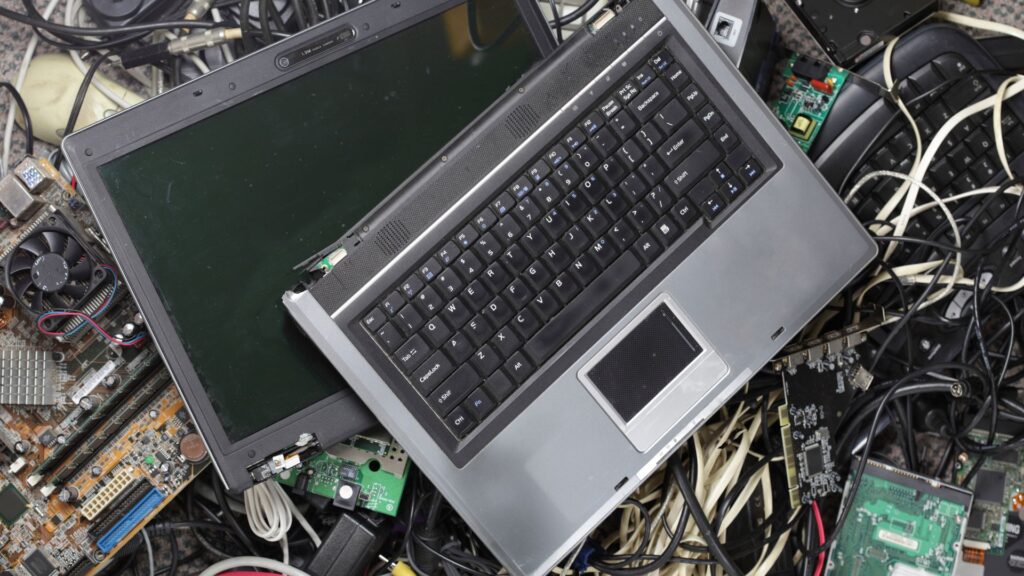
Recycling old office electronics transforms clutter into opportunity while reducing environmental impact. Many devices contain metals, plastics, and other materials that can be reclaimed and repurposed, minimizing landfill contributions. Working with certified recycling centers ensures compliance with environmental regulations and offers peace of mind that materials are processed safely. Items such as monitors, computers, and batteries contain hazardous substances that require careful handling, making professional recycling services invaluable. Recycling not only promotes sustainability but can also align with corporate social responsibility goals, enhancing a company’s public image. By separating recyclable items from non-recyclable or hazardous components, offices streamline the disposal process and ensure that valuable materials are recovered efficiently. Understanding local recycling programs and regulations is critical. Some electronics may qualify for manufacturer take-back programs or incentive schemes, providing financial or logistical support for disposal.
Donating Usable Equipment
Old office electronics that remain functional often have value beyond the original organization. Donating these devices to schools, nonprofits, or community centers extends their lifespan, supports local initiatives, and reduces electronic waste. Identifying potential recipients and verifying their needs ensures that donations are meaningful and impactful. By cleaning, testing, and securely wiping devices before donation, offices maintain data security while contributing to community development. Donation programs can also generate goodwill, strengthen corporate reputation, and offer tax advantages in some regions. Rather than discarding serviceable electronics, thoughtful redistribution maximizes utility while reinforcing a culture of social responsibility and corporate ethics. Creating a structured donation plan adds efficiency to the cleanout process. Listing all potential devices, confirming functionality, and preparing them for transport or handover simplifies execution. Coordination with local organizations ensures that donations meet genuine needs and are received promptly.
Selling Electronics for Value Recovery
Recovering financial value from old electronics offers an alternative to recycling or donating. Many devices retain resale potential despite being outdated for current operations. Selling items to refurbishers, technology resellers, or online marketplaces can generate funds to offset new equipment costs or contribute to operational budgets. Accurate assessment of device condition, brand, and specifications supports fair pricing and maximizes returns. Packaging and presenting electronics professionally can enhance buyer confidence, creating smoother transactions and repeat opportunities. Engaging reputable resellers ensures compliance with legal and environmental standards while simplifying logistics. This approach transforms office cleanouts into a financially productive endeavor rather than merely a disposal task. The resale process requires careful planning and documentation. Tracking serial numbers, repair histories, and warranties enhances transparency and value perception for buyers. Marketing devices accurately, highlighting functional capabilities and any limitations, prevents misunderstandings and builds trust.
Partnering with Professional Junk Removal Services
Professional junk removal services streamline office cleanouts, especially when handling large volumes of electronics. Specialists bring experience in sorting, recycling, data destruction, and logistics, reducing strain on internal teams. Their expertise ensures that hazardous materials are managed correctly, sensitive data is protected, and regulatory compliance is maintained. Employing a trusted service provider accelerates the cleanout process, improves workplace efficiency, and reduces the risk of accidents or damage. Additionally, professionals offer structured solutions for diverse office setups, accommodating varying device types and quantities with minimal disruption. Outsourcing electronics disposal allows employees to focus on core responsibilities while maintaining a clean, organized workspace. These services also provide transparency and accountability, documenting each step from pickup to final disposal.
Managing Hazardous Components Safely
Certain office electronics contain hazardous components that require careful handling. Batteries, fluorescent lamps, and older monitors contain chemicals or heavy metals that pose environmental and health risks. Proper separation, packaging, and disposal protocols prevent contamination and ensure legal compliance. Offices that neglect hazardous components risk fines, reputational damage, and safety hazards. Identifying hazardous materials early in the cleanout process allows staff to plan appropriately, reducing delays and accidental exposure. Educating employees about these materials fosters awareness and encourages careful handling, reinforcing a culture of responsibility and safety. Safe disposal of hazardous components often involves collaboration with certified recycling or removal services. These specialists understand legal requirements, transport regulations, and environmentally sound processing methods. Establishing clear internal procedures for labeling and storing hazardous items minimizes risk and facilitates smooth pickup or drop-off.
Preparing for Future Technology Upgrades
A well-executed electronics cleanout sets the stage for future technology upgrades. Clearing outdated or malfunctioning devices provides space for new systems, ensures compatibility, and reduces clutter-related inefficiencies. Planning cleanouts with upcoming technology initiatives in mind allows offices to align disposal, recycling, and data security strategies with broader operational goals. Thoughtful preparation also ensures minimal disruption during installation of new equipment, streamlining transitions and maintaining productivity. By integrating cleanout processes into technology roadmaps, organizations proactively manage both current and future needs, creating a cycle of continuous improvement and efficiency. Anticipating future upgrades requires assessing remaining technology infrastructure, understanding staff needs, and forecasting device lifecycles. This approach supports informed purchasing decisions, helps budget allocation, and reduces waste.
Tracking and Documenting Disposal Processes
Comprehensive documentation enhances accountability during office electronics cleanouts. Keeping records of disposed, recycled, donated, or sold devices provides transparency and supports legal and environmental compliance. Documentation may include serial numbers, condition assessments, disposal methods, and recipient or recycler details. Accurate tracking ensures devices are not lost, mismanaged, or mishandled, providing confidence that all electronics are processed appropriately. Maintaining clear records also aids audits, insurance claims, and future inventory planning, reducing risk and improving efficiency. A structured documentation approach complements all other cleanout activities and provides a lasting reference for technology management. Efficient tracking systems reduce confusion and duplication of efforts during cleanouts. Staff can quickly identify device status, responsible parties, and next steps for each item. Digital records enhance accessibility, enabling real-time updates and seamless coordination across departments. Tracking not only secures sensitive information but also provides metrics for assessing cleanout performance and improving future processes.
Optimizing Storage of Retained Electronics
Some office electronics may still be valuable but not immediately required. Proper storage extends device lifespan, prevents damage, and ensures readiness for future use. Designating clean, dry, and secure areas for storage protects sensitive components from environmental risks such as humidity, dust, or temperature fluctuations. Organizing electronics systematically, with clear labeling and inventory control, simplifies retrieval and reduces downtime when devices are eventually redeployed. Thoughtful storage planning integrates seamlessly with overall office management and cleanout strategies, enhancing operational efficiency and resource utilization. Storing electronics effectively also facilitates risk mitigation. Devices retained for backup, temporary use, or phased replacement are less likely to suffer accidental damage when stored according to recommended standards. Regular inspections and maintenance of stored equipment ensure ongoing functionality and prevent unexpected failures.
Conclusion
Handling old office electronics during a cleanout requires planning, assessment, and responsible action. By evaluating device condition, securing data, recycling, donating, selling, or using professional removal services, offices can optimize efficiency, protect sensitive information, and contribute to environmental sustainability. Integrating these strategies into routine technology management ensures ongoing workplace organization, compliance, and operational readiness. For expert assistance in office electronics removal, contact Dirty Deeds Junk Removal Los Angeles located in Los Angeles at +12136012778 for comprehensive, professional service that ensures safety, efficiency, and responsible disposal.